Microsoft Access Project Portfolio Template
Spend less time creating your database and gain immediate visibility into project status, financials, and ROI metrics.
Jump-Start Your Project Tracking with UI Builder Templates
The Project Portfolio template is included with the purchase of UI Builder Business or Enterprise edition. You receive complete source code access to customize the template to your specific governance and budgeting needs, plus the full power of UI Builder for all future database projects.
Make Better Decisions at the Portfolio Level
Track status and financial metrics from concept to completion. Identify high-payoff initiatives and re-allocate resources with built-in labor costing and ROI models.
- Track project lifecycles across your entire organizational portfolio
- Conduct detailed cost/benefit and flexible timeline ROI analyses
- Reconcile estimated costs against actuals to promote accountability
- Drill down into real-time health and at-risk project dashboards
- 7 pre-built reports for stakeholder status and financial reviews
- Compatible with Microsoft Access 2007, 2010, 2013, 2016, 2019, and Office 365
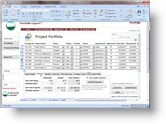 🔍 Click to enlarge
 ► Watch video demo
Built on the Powerful UI Builder Framework
Save weeks of custom development. UI Builder provides modern menu navigation, security permissions, and over 26+ pre-defined commands that can be assigned without writing complex VBA.
Explore All UI Builder Features →System Requirements
Compatible with Microsoft Access 2007, 2010, 2013, 2016, 2019, and Access for Microsoft 365 (supports both 32-bit and 64-bit editions).